
Time Machine
Rewind, fast-forward, and slow-motion controls directly from the game toolbar. Retry that missed jump in an instant or study a frame-perfect sequence at any speed.
Overview
Time Machine records your recent gameplay in a short rolling buffer and plays it back on demand. Hold rewind to step back through what just happened — like a DVR for your game — all without leaving the game window.
What You Get
- Rewind: Step backward through recent gameplay to retry a missed jump, a botched combo, or a fatal hit without reaching for a save state
- Fast Forward: Skip slow dialogue, grinding, or long cutscenes
- Slow Motion: Study frame-perfect sequences at reduced speed — ideal for fighting game combo practice or tricky platformer setups
- Per-System Compatibility: A few systems do not support rewind (for example Dolphin). The Play! (PS2) core warns you before capturing, so you can back out
How to Use
-
Enable Time Machine
Open Settings → Time Machine and toggle Time Machine on. The Setup Wizard also offers this on first launch.
-
Choose Buffer Depth
Set the rewind buffer depth in seconds. Larger buffers consume more memory but let you rewind further back.
-
Set Slow-Motion Ratio
Choose a slow-motion playback speed like 0.5×, 0.25×, or 0.1×.
-
Bind Hotkeys
Bind rewind / fast forward / slow motion hotkeys in Settings → Hotkeys. Both keyboard and gamepad bindings are supported.
-
Use It During Gameplay
Trigger rewind / fast-forward / slow-motion during gameplay via the toolbar buttons or the bound hotkeys. The overlay shows the current Time Machine state and scrub position.
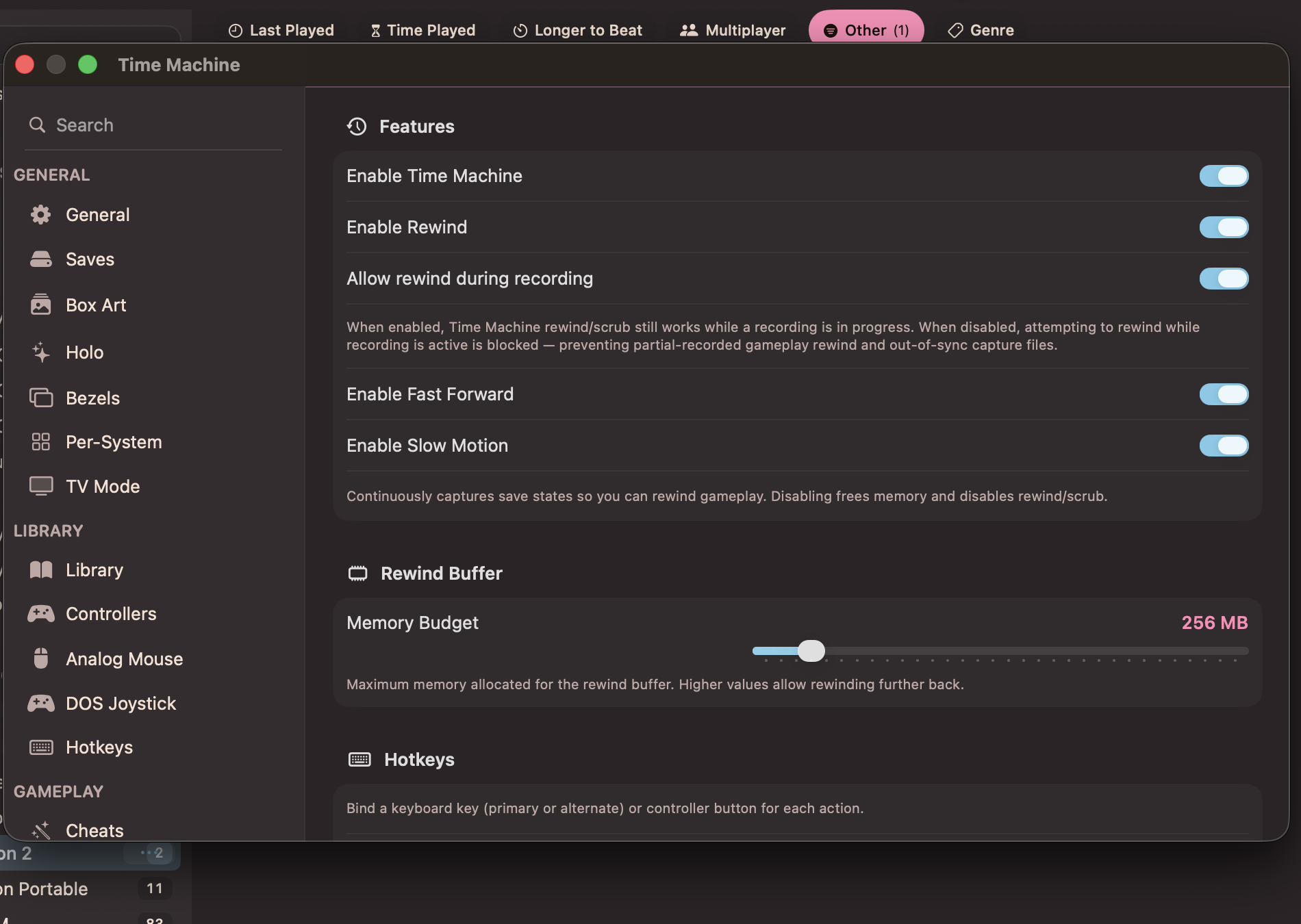
Time Machine settings: feature toggles, rewind buffer budget, and hotkeys
Restrictions
Hardcore Mode: Time Machine is blocked while RetroAchievements Hardcore Mode is active, just like save states and cheats.
Systems that lack support: Rewind needs save-state support from the system. Dolphin is excluded. Play! (PS2) warns you before it captures, so you can back out.