Bezel Guide
Frame your game screen with arcade art instead of black bars
What are Bezels?
Retro games were made for narrow 4:3 screens. On a modern wide display this leaves black bars on the sides. Bezels fill those bars with arcade art, console borders, or themed decoration. Your game stays the same size. Only the empty space changes.
Open the Bezel Browser
Find and apply a bezel in three steps:
-
Open bezel settings
From the Game Detail view or the game window toolbar, open Bezel settings.
-
Browse or search
Browse bezels by system, or search by game name.
-
Select to apply
Click a bezel to apply it at once. If it is not on your Mac yet, TruchiEmu downloads it from The Bezel Project (github.com/thebezelproject) automatically. You need internet for first-time downloads. Saved bezels work offline.
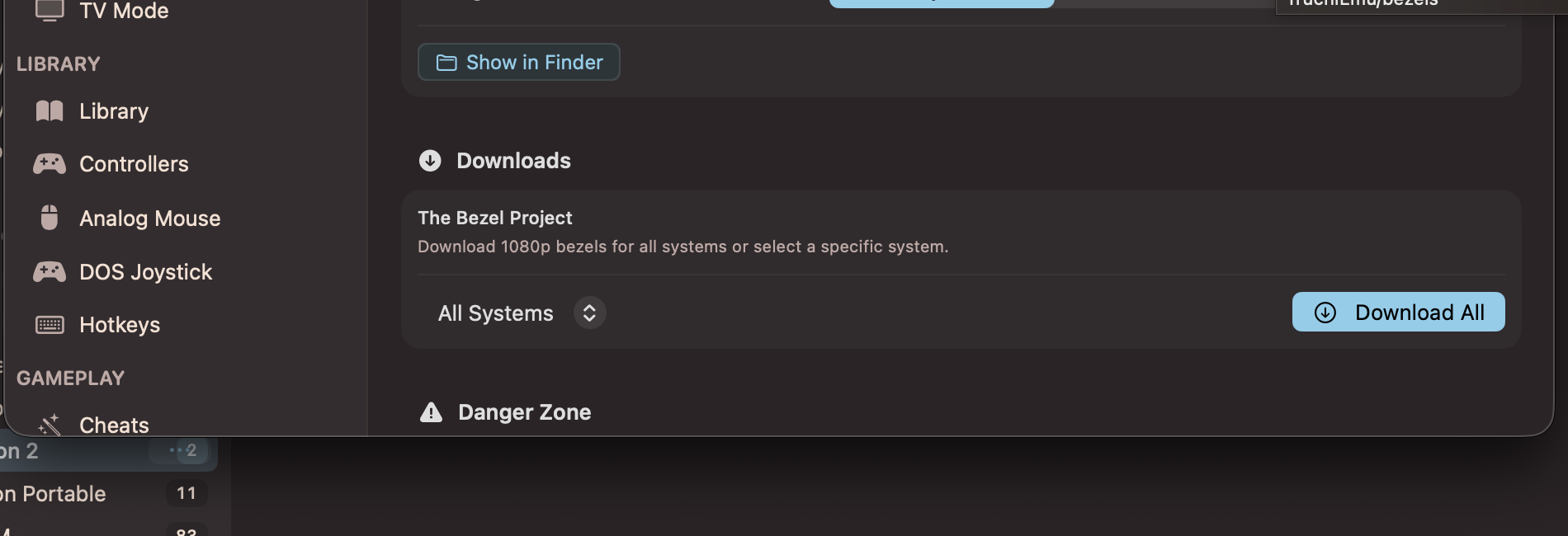
Bezel downloads from The Bezel Project, per system or all at once
How Automatic Matching Works
When you launch a game, TruchiEmu picks a bezel for you. It tries each step in order and stops at the first match:
- Your pick: the bezel you chose for this game (unless you asked for auto-match this time)
- Exact name: a bezel file that matches the game name exactly
- Cleaned name: a match with region and version tags removed (for example, "Super Mario World (USA)" matches "Super Mario World")
- Close match: a best-effort match against the bezel list
- No bezel: the game runs full-frame with no overlay
To play with no bezel, select None for that game. That choice wins over all matches.
Use Your Own Bezel Images
Bring any PNG or JPG image as a bezel:
-
Open bezel settings
From the Game Detail view or the game window toolbar, open Bezel settings.
-
Import your file
Choose Import and pick a PNG or JPG from your Mac.
-
Play
Your imported bezel applies to that game at once and wins over auto-matched bezels.
Bezel Fit
Fit is automatic. There is nothing to tune. Horizontal bezels frame a 4:3 game area. Vertical bezels frame a 3:4 game area. TruchiEmu reads the shape from the bezel image itself.