Save State System
TruchiEmu's save state system captures and restores emulator state at any point, with an organized slot-based interface and visual management.
Overview
Save States let you snapshot the game at any moment and reload it later perfect for retrying a tough section, parking a game for later, or experimenting without consequences. Each game gets 11 slots: one auto-save slot plus 10 numbered slots (0–9). Most systems support save states; a few (such as Dolphin) do not.
What You Get
- 11 Save Slots: Numbered 0–9, plus an auto-save slot. The auto-save slot fills when you close a game (if enabled). You can load from it but not save to it by hand
- Instant Capture: Save and load at any point, mid-level, mid-fight, wherever you are
- Thumbnail Previews: Each save captures a small screenshot, so you can see which one you want before loading
- Auto-Organized: Save states are grouped per game and labeled with a timestamp
- Undo Load: Hit
Cmd+Zright after a load to jump back to where you were handy if you picked the wrong slot - Progressive Save States: Optionally let each slot keep a rotating history (up to 5 versions) so an old save is never truly overwritten
- Auto-Save on Exit: Optionally drop into the auto-save slot when you close a game
- Auto-Load on Start: Optionally pick up right where you left off when you launch a game
Step-by-Step Configuration Guide
Blocked in Hardcore Mode: When RetroAchievements Hardcore Mode is active, save states are disabled. Turn it off in Settings → Achievements to use them.
Basic Save State Usage
-
Save During Gameplay
Press
F5to save to the current slot, or use the Save button in the game window toolbar. To change slots, pressF6(next) orF4(previous). With progressive saves on, each slot keeps up to 5 past versions, newest first. -
Load a Save State
Press
F7to load from the current slot, or open the save state browser to pick any slot by its thumbnail. If you load the wrong slot, pressCmd+Zto undo the load.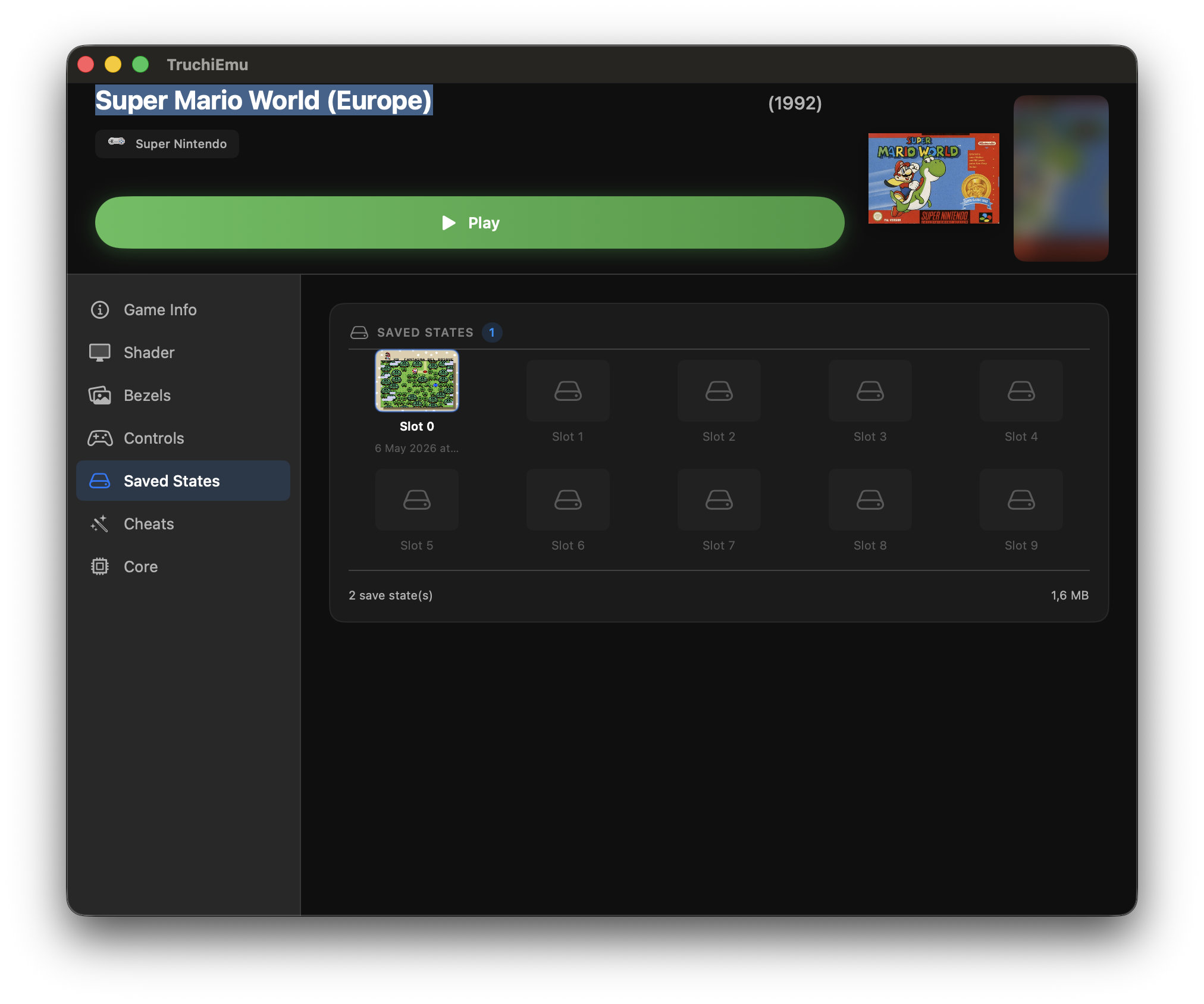
-
Manage Save Slots
Use different save slots to maintain multiple save points for different playthroughs or challenges. Each slot stores a separate emulator state.