Library Management
TruchiEmu's library management system organizes your game collection with metadata enrichment, multi-source box art, DAT/CRC32 identification, and post-scan automation — including iCloud dataless-placeholder materialization and ROM-removal notifications.
Overview
The Library is where your games live. Point TruchiEmu at your ROM folders and it does the rest: it figures out which system each file belongs to, identifies the game, pulls in a title and description, and grabs the box art. Browse by system, favorite, recently played, or any of the saved categories you've made.
What It Does For You
- CRC32 Identification: Hardware-accelerated CRC32 hashing (via zlib) against DAT databases — not just file extensions — so ROMs are accurately identified regardless of filename
- MAME Rejection Tracking: MAME identification uses rejection tracking and a refined scoring algorithm; non-game MAME entries are filtered out automatically
- LaunchBox Metadata Service: Background metadata enrichment pulls in descriptions, release dates, publisher, player count, and genre. Platform overrides improve match scoring across systems
- Box Art Priority: Box art is fetched from ScreenScraper and Libretro CDN with configurable priority; an interactive Box Art Picker lets you swap alternative artwork per game
- PPSSPP Asset Downloads: PPSSPP-specific assets are downloaded and applied automatically when a PSP ROM is detected
- Box Art Region Selection: Pick preferred region for box art per game or system-wide; thumbnails are generated, cached, and resampled efficiently
- iCloud Materialization: iCloud dataless-placeholders are materialized on access so ROMs stored in iCloud display correctly — no more zero-byte stubs in your library list
- ROM-Removal Notifications: When ROMs are removed from watched folders, the library updates automatically and posts a notification so you don't have to manually rescan
- Organized Your Way: Browse by system, favorites, recently played, last added, custom categories, or RetroAchievements-support
- Grid or List: Switch between the cover-art grid (with zoom slider) and the compact list view
- Search & Filters: Type-to-search in the main window (multi-term search); quick filter chips for "no box art", "never played", "unidentified", "multiplayer", "genre"
- Search-Aware Sidebar: Smart collections respect the active search query — hidden systems stay hidden when you filter
- RetroAchievements Aware: Games with achievements are flagged and can be filtered to just those
Post-Scan Automation
TruchiEmu doesn't just scan — after the scan, an automatic pipeline runs: identify → enrich metadata → download art. Heavy post-scan work pauses while you play.
Background performance: The pipeline runs serially with a 2-second warm-up delay so it never competes with active gameplay CPU. A separate MetadataSyncCoordinator handles background LaunchBox sync with 1-at-a-time concurrency; it also pauses during gameplay.
Identification Pipeline
-
Scan
ROMScanner scans directories recursively, filters by extension, and bulk-identifies MAME files in one pass.
-
Hash & Match
Each ROM is hashed and matched against game databases using file headers, extensions, names, and folder hints — so games are found even with odd filenames.
-
Metadata Enrichment
LaunchBox Metadata Service enriches identified games with description, release date, publisher, player count, and genre.
-
Box Art Download
BoxArtService fetches art from ScreenScraper and Libretro CDN per your priority. Honor region preferences. BoxArtThumbnailService generates and caches thumbnails for fast grid rendering.
-
Genre Categorization
Genres are populated from the metadata and exposed as filter chips in the library sidebar.
Managing Library Folders
Adding Folders
- Setup Wizard: Add one or more folders during first-launch setup
- Library Toolbar: Click the Add Folder button at the top of your library
- Menu Bar: Games → Add ROM Folder (
Shift+Cmd+O) - Settings: Settings → Library → Library Folders, click "Add Folder"
Rescanning & Rebuild
- Full Rescan: Settings → Library → Maintenance → "Full Library Rescan" (or
Shift+Cmd+R) - Per-Folder Refresh: Each folder has a "Refresh" button (and a "Rebuild" option with multiple strategies)
- Per-System Refresh: Right-click a system in the sidebar and choose "Refresh"
- Hidden MAME Files: Filtered non-game MAME entries live under a "Hidden MAME Files" sidebar entry, not in your main grid
Genres & Categories
Browse by genre using the genre filter chip (powered by LaunchBox metadata), or create custom categories with names, SF Symbol icons, custom uploaded icons, and per-category colors.
- Custom Categories: Drag-and-drop games into custom categories, or use the right-click context menu
- Favorites: Right-click → "Add to Favorites" for quick access
- Recently Played: Auto-tracked based on launch history
- Hidden Games: Right-click → "Hide Game" to keep main grid uncluttered
- Genre Management: Settings → Genres provides per-genre controls
Holo Card Effects (Beta)
Holo adds a foil sheen and light-spot glare to library cards. It follows the cursor and pauses during scroll to keep the grid smooth.
- Enable: turn on Holo in the library view options, or turn on auto-generate Holo masks in the Setup Wizard Look & Feel step for new art
- Tune: adjust foil strength and hue-cycles (rainbow rotation) in Holo settings; reverse-holo has its own transparency and texture scale
- Note: Holo is still in beta. Effects stay glued to the fitted box-art rect, not the full card.
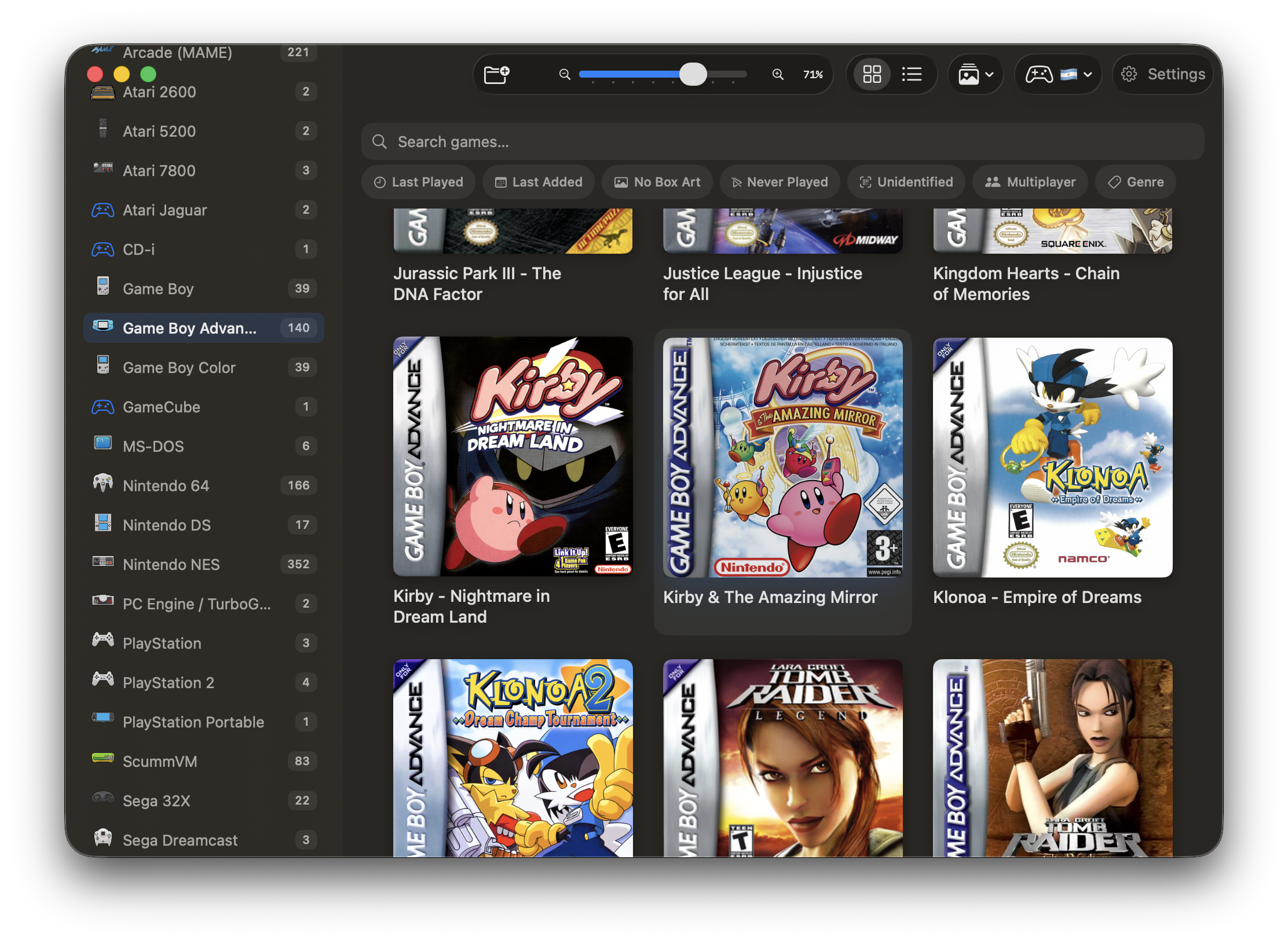
Holo foil on library cards (beta)
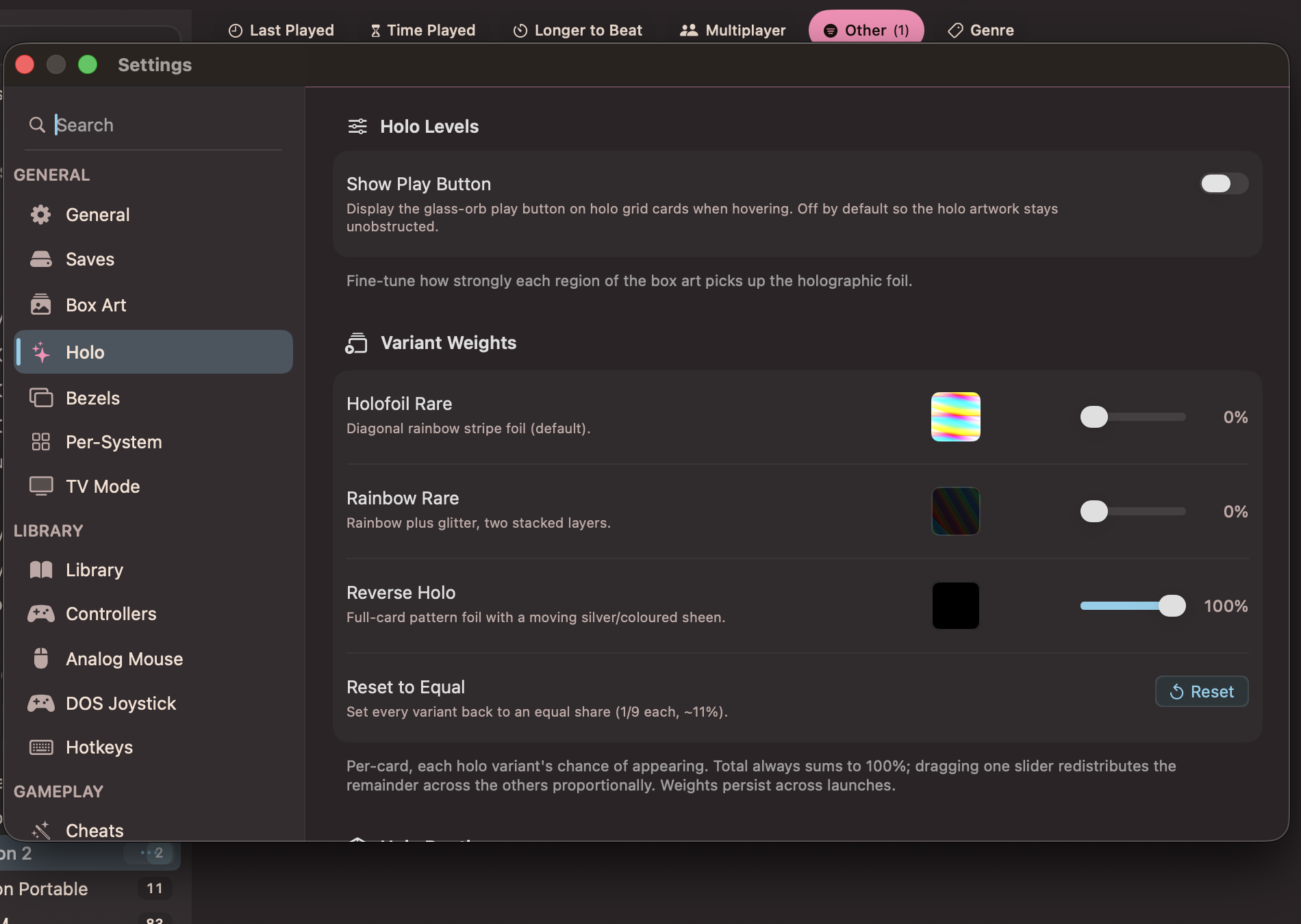
Holo settings: variant weights and glass-orb play button toggle
Box Art Styles: Adaptive
Adaptive style fits mixed portrait and landscape covers without crop. Vertical, Box, and Landscape force one frame. Adaptive picks per game.
- Enable: Settings → Library → Box Art Style, or per system in Per-System settings
- Values: Vertical, Box, Landscape, Adaptive
Game Info: Scores, Times, Sorts
The Game Detail view shows review scores and completion times when data exists, plus new library sorts.
- OpenCritic: review scores on the detail view; add your OpenCritic API key (via RapidAPI) in Settings to enable lookups
- HowLongToBeat: main plus extras and completionist times on the detail view; automatic when matched
- Sorts: try Time Played and Longer to Beat in the library sort picker alongside name, last played, and last added
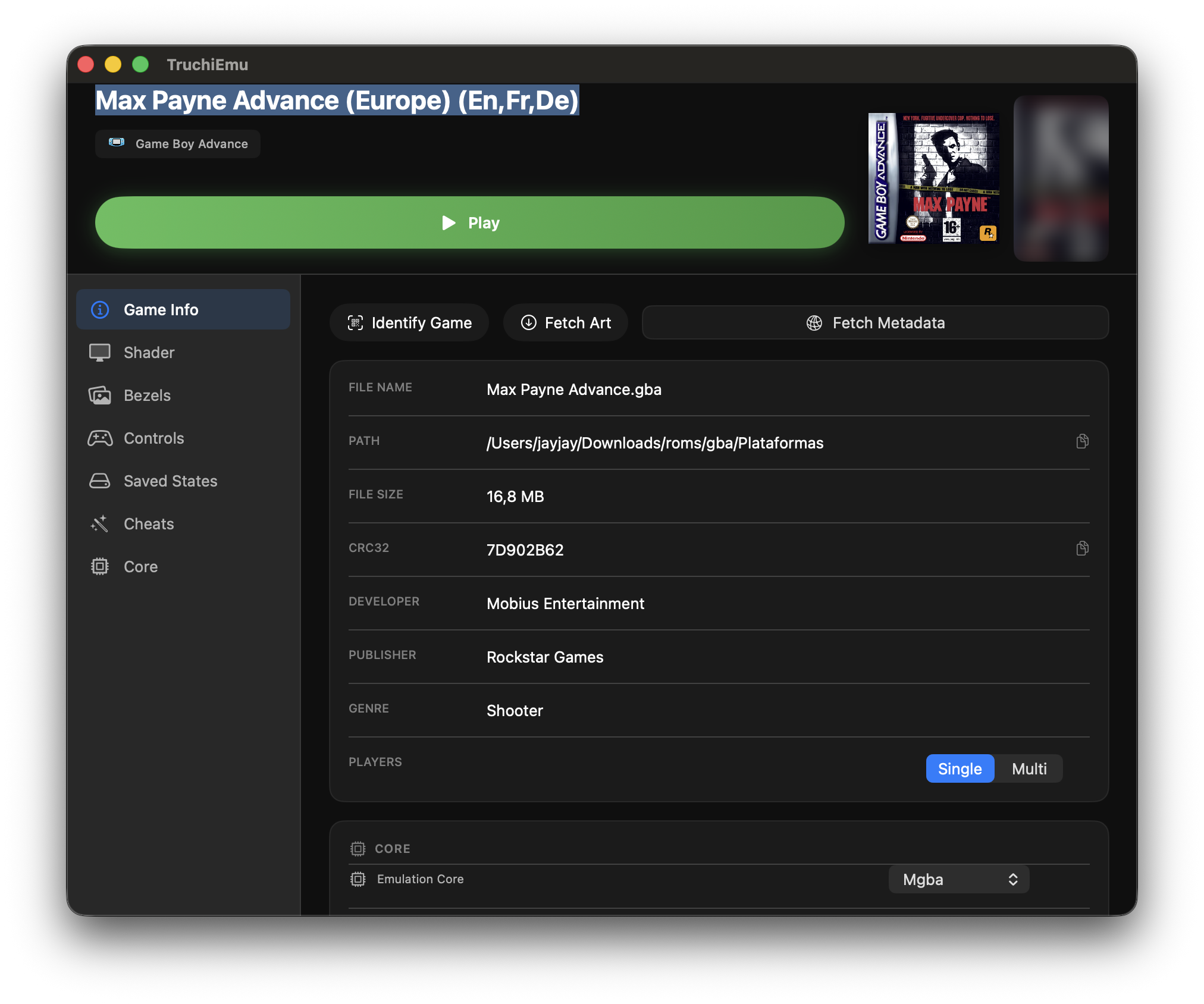
Scores and completion times on the Game Detail view