TruchiEmu
NES, SNES, PlayStation, arcade and 100+ more systems — on your Mac in minutes
Free and open-source native app for macOS 14+. Add a ROM folder, double-click a game, play. No tech skills needed.
100+ systems
Consoles, handhelds, arcade and computers via libretro cores.
17 + 1,800 shaders
Built-in Metal looks plus a huge slang preset collection.
11 save slots
Visual slots with thumbnails and progressive versions per game.
17 themes
Named accents plus Custom, with light and dark modes.
Playing in 3 steps
1. Download
Grab the release, move it to Applications, launch it.
2. Add ROMs
Point TruchiEmu at a folder. Games identify themselves and fetch box art.
3. Play
Double-click any game. Missing cores install themselves on first launch.
Why TruchiEmu?
A modern, native macOS emulator built from the ground up with SwiftUI — one app for countless classics, with pro-grade visuals, controls, and a polished, gamepad-friendly interface.
Universal System Support
Powered by libretro, TruchiEmu runs virtually any classic console, handheld, arcade, or computer that has an available core — from NES and Game Boy to PS2, Saturn, DOS, ScummVM, and MAME.
Library Automation
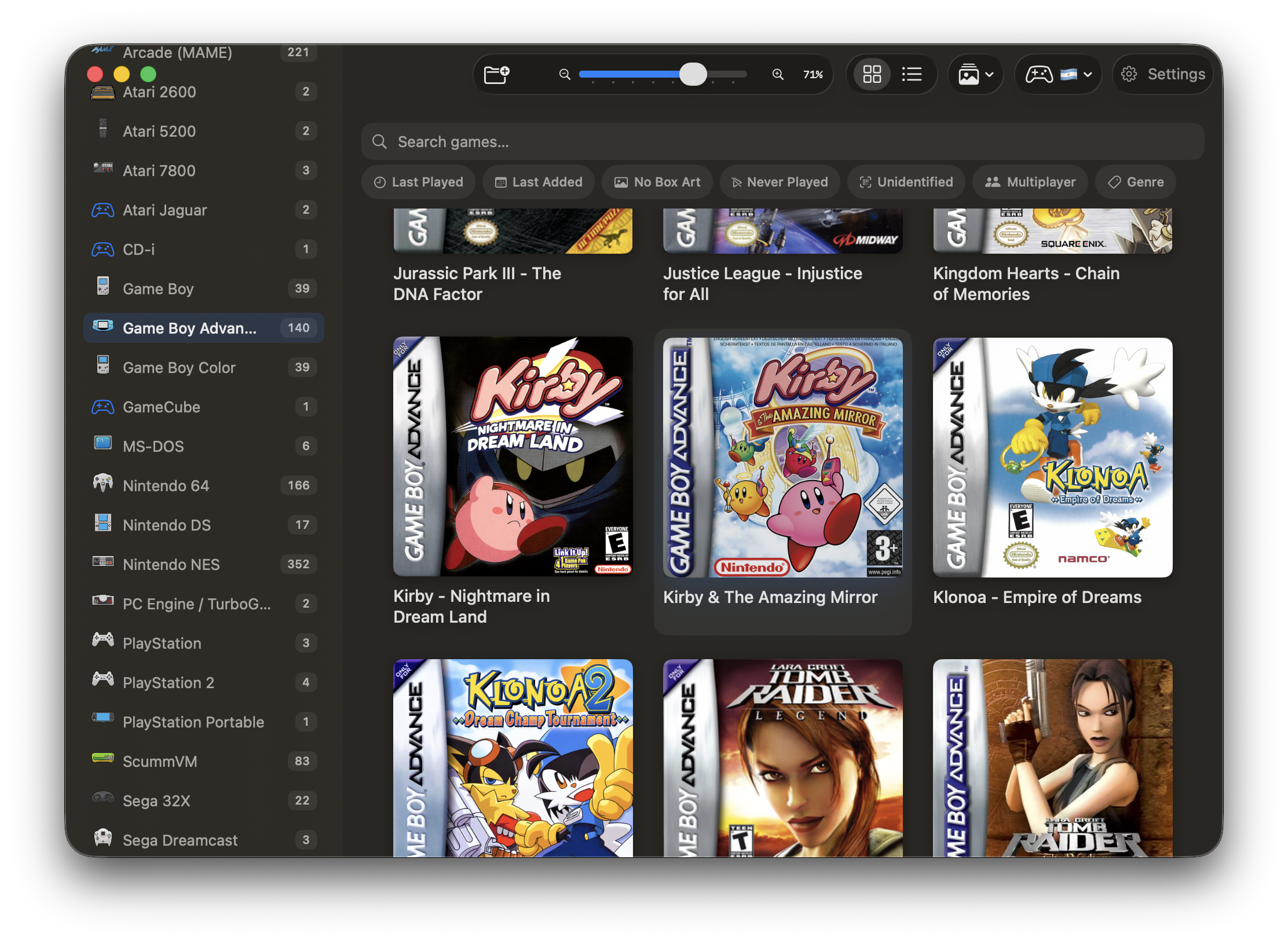
Automatic ROM identification, metadata and box art downloads, iCloud support, and notices when ROM files move or vanish.
TV Mode
A full-screen, couch-friendly browsing experience with animated backgrounds, box-art focus effects, short-list mode, and resolution-adaptive scaling. Navigate your whole library with a gamepad — no mouse needed.
Pro-Grade Shaders
17 built-in Metal shaders (CRT Lottes, Pittman, LiteCRT, Multipass, Game Boy, GBC, GBA, PSP, NDS, 3DS, Sharp Bilinear, and more) plus native slang-preset support via librashader — around 1,800 community presets included.
RetroAchievements
Full RetroAchievements integration with Hardcore Mode, cache import progress, ROM hash display, and rich presence. Earn trophies and compete on global leaderboards.
Themes & Appearance
16 named accent themes plus Custom, with light, dark, and automatic modes. Tinted surfaces and accent toolbar icons make the app yours.
Advanced arsenal
Streaming, completionism, and lab-grade practice tools for players who want more.
Recording & Streaming
Capture gameplay to local files (H.264/HEVC/ProRes) or stream live to Twitch, YouTube, or any custom RTMP server — hardware encoded, with a rolling last-moments buffer.
Time Machine
Rewind, fast-forward, and slow-motion controls right from the game toolbar. Time your perfect retry, study tough sequences in slow motion, or rewind instantly when you goof.
Training Mode & Move Lists
Fighting game tools: program the P2 dummy (stance, guard, wake-up tech, reversals), record/playback input sequences, and view on-screen move notations for over 200 curated fighting games.
Save States & Bezels
11 visual save slots with thumbnail previews and progressive versioning. Plus an automatic box-art-matched bezel downloader that frames your screen for any aspect ratio.
Multiplayer Controllers
Up to 4 players with smart defaults per system. Multi-player keyboard mapping, gap-slot prioritization, disable/reset for stuck pads, per-system overrides, and a live test sheet.
Analog Mouse & Game Guide
Use your gamepad's analog stick as a mouse in DOS and ScummVM games — with D-pad as arrow keys. The in-game Game Guide sidebar brings progressive UHS hints and full GameFAQs walkthroughs.
Cheats
Per-game cheat libraries from the libretro database with live toggle, plus manual Game Genie, Action Replay, and GameShark entry. Auto-disabled in Hardcore Mode.
See It In Action
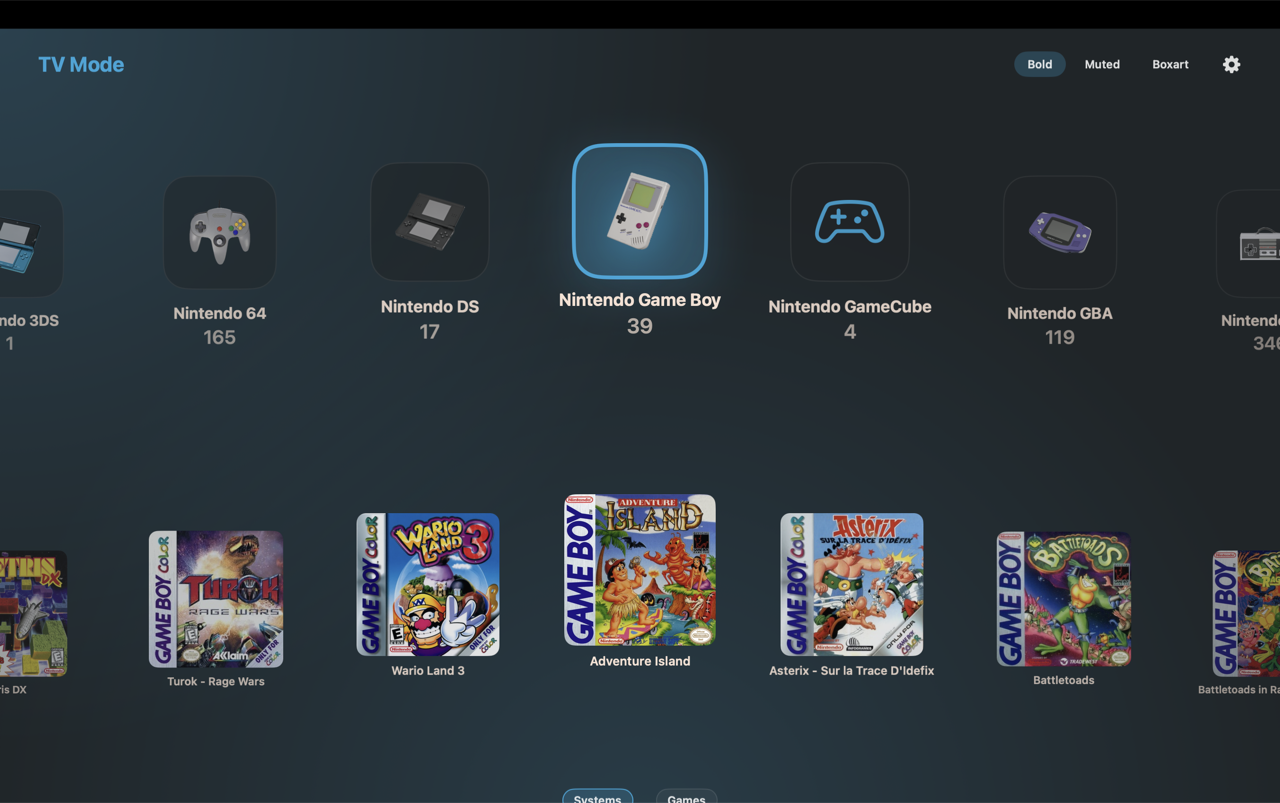
TV Mode
Couch-friendly, gamepad-navigable library browsing.
Browse Your Collection
Visually rich library with automatic box art and metadata.
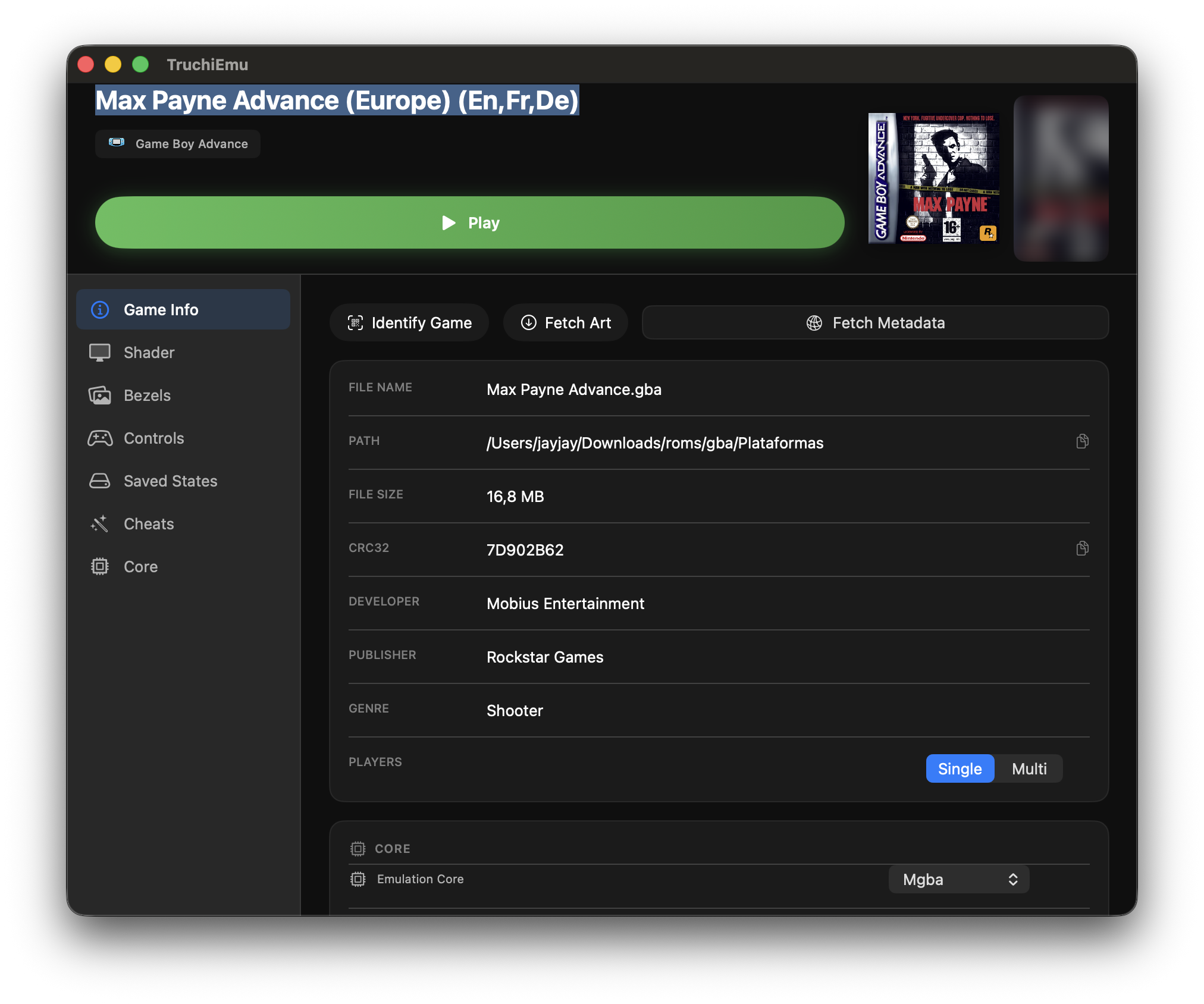
Game Details
Comprehensive information for each game with play options.
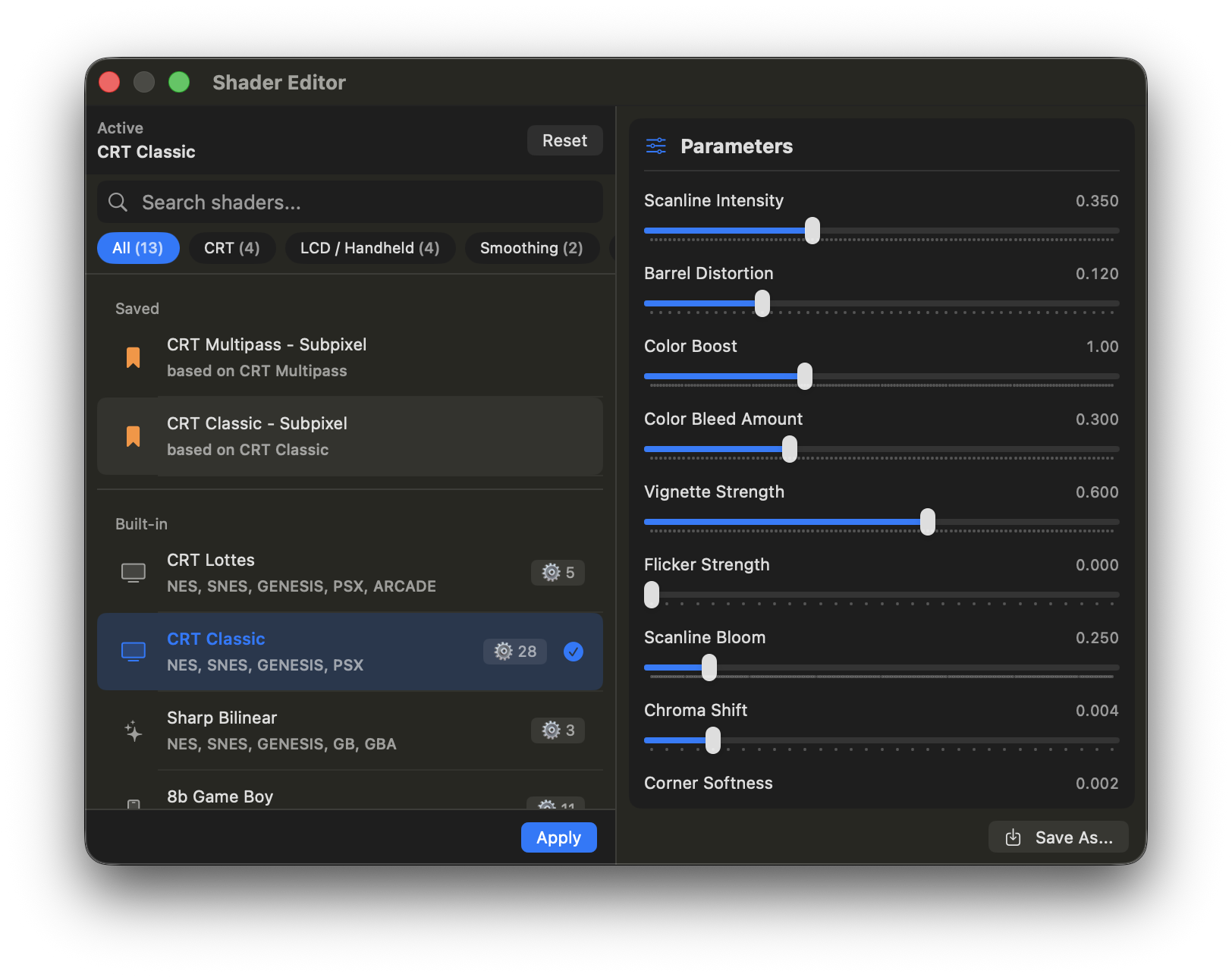
Shader Picker
Real-time shader preview and customization.
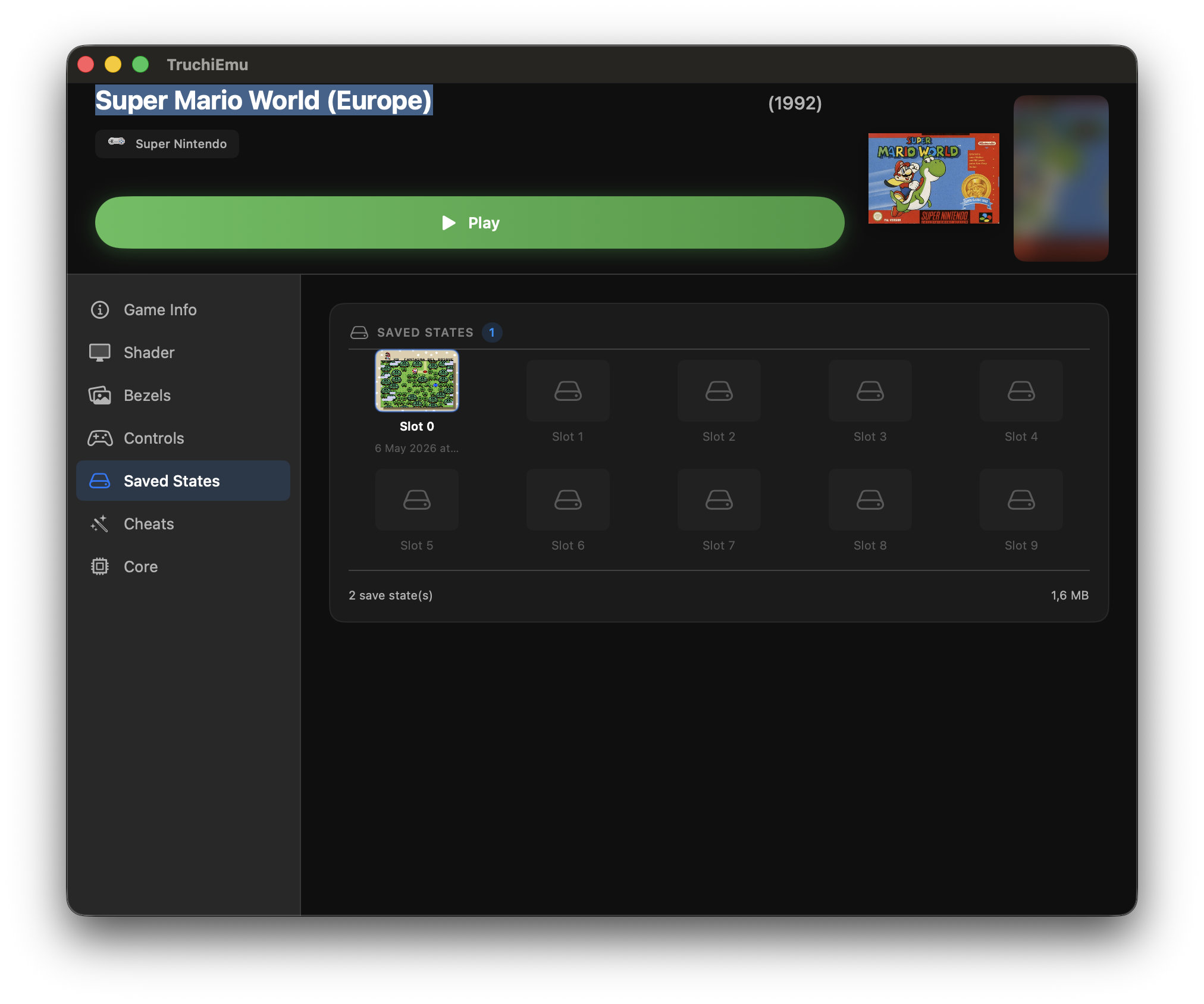
Save States
Visual grid with thumbnails and progressive versioning.
Ready to Play?
Start your retro gaming journey in minutes with TruchiEmu's guided setup wizard.
Free and open-source (MIT). No account needed — except your own RetroAchievements login if you chase trophies. Bring your own legally-obtained ROMs.