Library Management
TruchiEmu's library management system organizes your game collection with metadata enrichment, artwork downloads, and system-based categorization.
Overview
The Library is where your games live. Point TruchiEmu at your ROM folders and it does the rest: it figures out which system each file belongs to, identifies the game, pulls in a title and description, and grabs the box art. Browse by system, favorite, recently played, or any of the saved categories you've made.
What It Does For You
- Automatic Identification: Each ROM is recognized and matched to a real game title no manual entry needed
- Box Art: Cover art is downloaded automatically for every game it can find
- Metadata: Game info, descriptions, and genres are pulled in from community databases
- Organized Your Way: Browse by system, favorites, recently played, last added, custom categories, or RetroAchievements
- Grid or List: Switch between the cover-art grid and a compact list view
- Search & Filters: Multi-term search plus quick filter chips for "no box art", "never played", "multiplayer", and more
- RetroAchievements Aware: Games with achievements are flagged so you can filter to just those
Step-by-Step Configuration Guide
Initial Library Setup
-
Add ROM Directories
Add ROM directories from the Library sidebar (button
folder.badge.plus) or the initial onboarding wizard. TruchiEmu supports recursive scanning of subdirectories.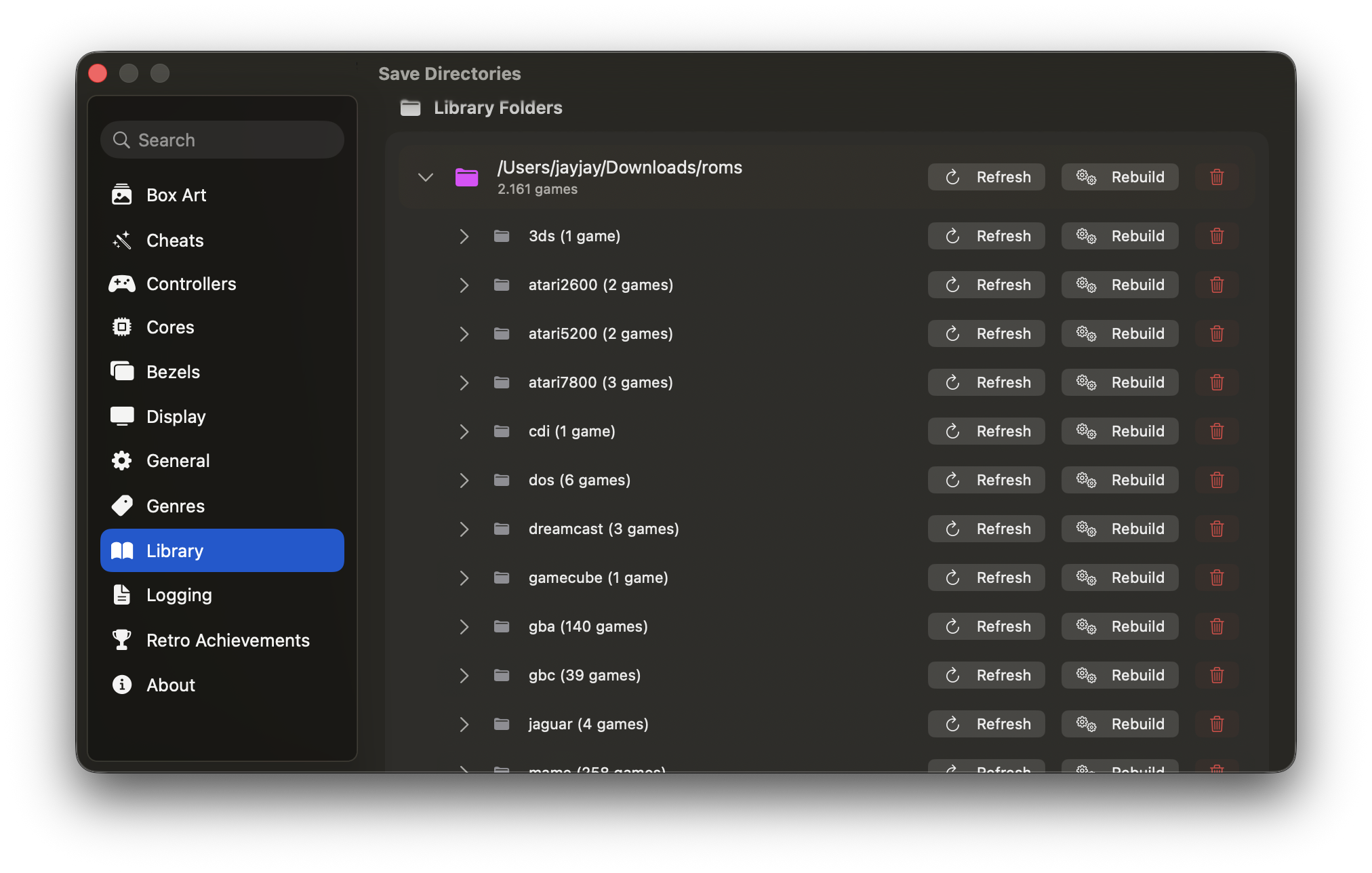
-
Start Library Scan
Initiate a scan from the Library view. The scanner identifies ROM systems, then automatically runs post-scan automation: CRC32-based game identification, metadata enrichment, and box art downloads. No manual scan configuration is needed — scanning automatically filters non-ROM file types and identifies systems by extension and file headers.