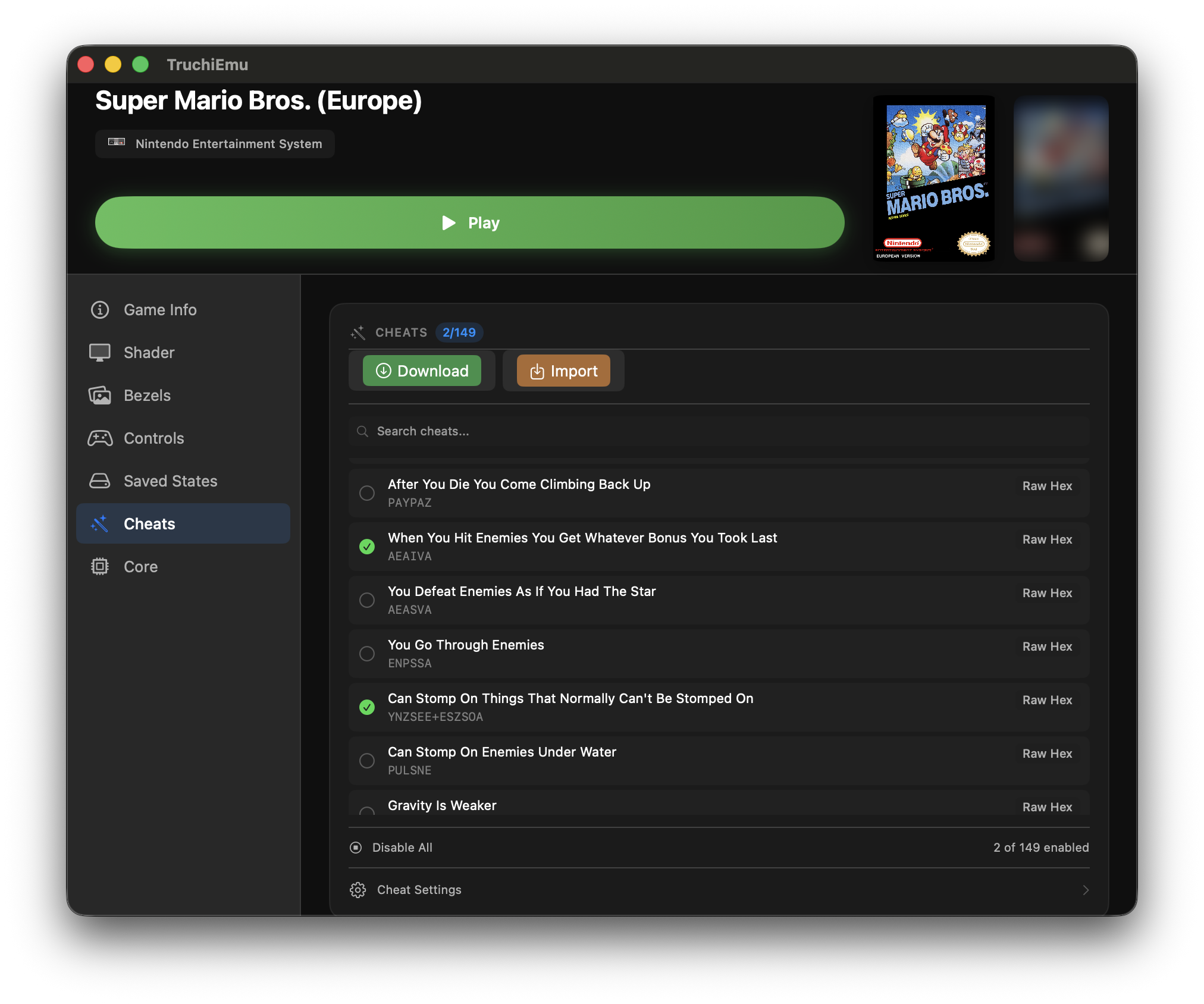
Cheat System
TruchiEmu provides a streamlined system for managing and applying cheat codes, supporting standard Libretro formats and automated database downloads to enhance your gaming experience.
Service Overview
The cheat system allows users to import, manage, and activate cheat codes for their games. By leveraging the Libretro core architecture and the community-driven RetroArch cheat format, TruchiEmu makes it easy to apply modifications like infinite lives or unlocked content without needing to manually edit memory.
Core Features
- Multi-Format Support: Support for Game Genie, Pro Action Replay, and standard .cht files
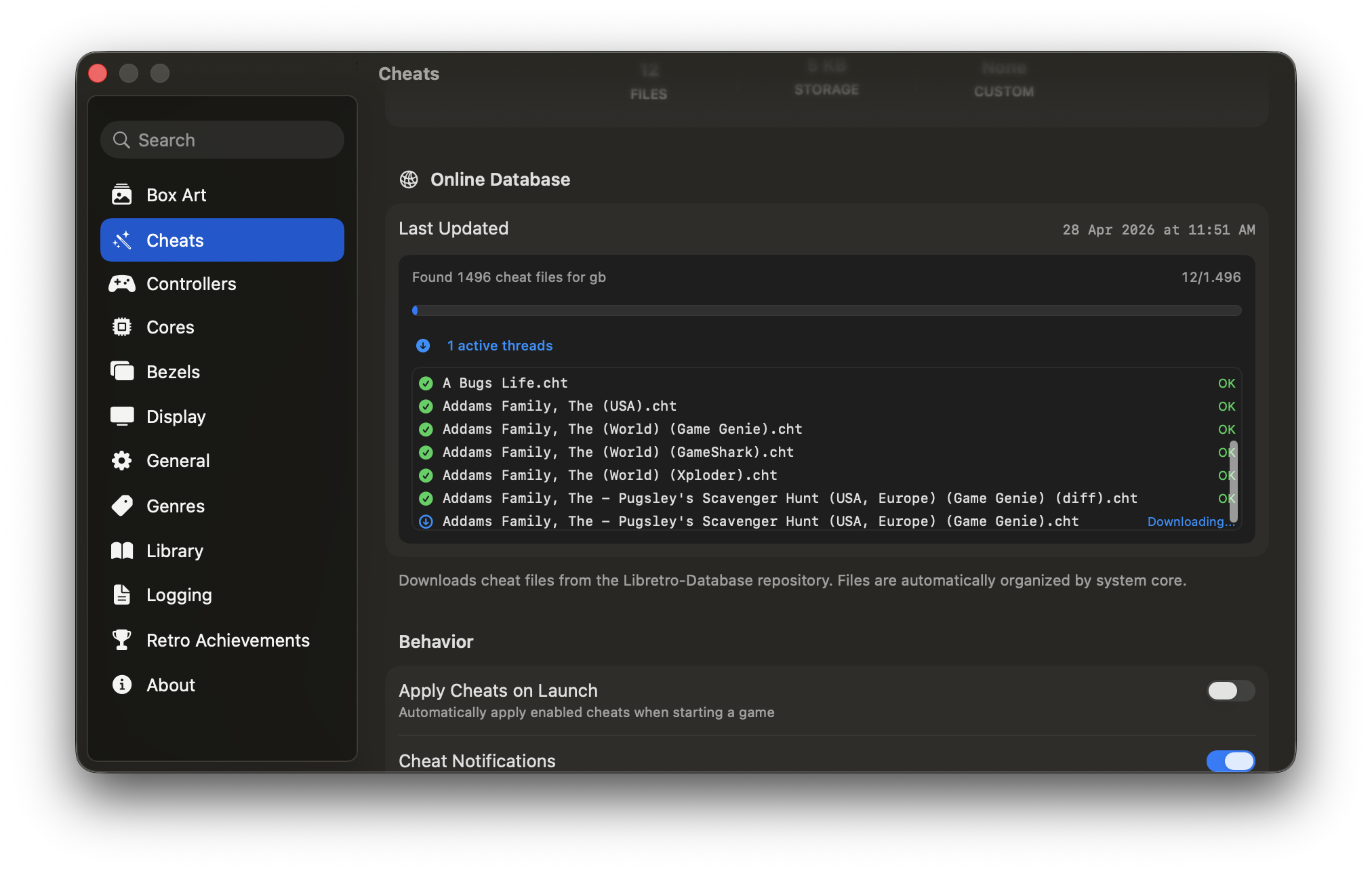
- Automated Database: Download pre-made cheat collections from the Libretro community database
- Auto-Activation: Cheats are automatically discovered and applied based on the loaded ROM
- Custom Cheat Entry: Manually add your own codes and descriptions to your library
- Direct Memory Access: Ability to apply cheats via direct memory writes to the emulation core
Supported Cheat Formats
TruchiEmu primarily uses the .cht format (developed by RetroArch). It can parse these files to identify cheat names, descriptions, and the specific memory addresses they modify. It also includes specific parsers for classic formats like Game Genie for NES and SNES.
Technical Architecture
The cheat system is built around several key components:
- Cheat Parser: Translates .cht files and classic codes into actionable memory operations
- Download Service: Integrates with GitHub to fetch the latest community cheat databases
- Auto-Loader: Scans the local cheats directory for files matching the currently loaded ROM
- Libretro Bridge: Communicates with the emulation core using
retro_cheat_setto enable or disable modifications in real-time
Configuration Guide
Basic Cheat Usage
-
Access Cheat Menu
Open the cheat management window from the game options. Here you can see all available cheats for the current game.
-
Browse and Search
Use the search bar to find specific cheats. If no cheats are found, you can use the "Download Cheats" option to fetch them from the community database.
-
Enable Cheats
Toggle the switch next to any cheat to activate it. The change is applied immediately to the game memory.
-
Save Configuration
Your enabled cheats are saved automatically and will be reapplied the next time you launch the game.
Manual Cheat Entry
-
Add New Cheat
Click "Add Cheat" and provide a descriptive name. Select the format (e.g., Game Genie) from the dropdown menu.
-
Enter the Code
Enter the alphanumeric or hexadecimal code. The app validates the format before saving.
-
Assign Description
Add a note about what the cheat does to help you remember its effect during gameplay.
Troubleshooting
Cheat Not Working
Symptom: Cheat enabled but has no effect in game.
Solution: Verify that the cheat matches your game's region (USA, Europe, Japan) and version. Some cheats require a game reset after activation to take effect.
Game Instability
Symptom: Game crashes or behaves erratically with cheats enabled.
Solution: Disable all cheats and enable them one by one to identify the conflicting code. Some cheats modify critical system memory and can cause crashes.
Database Not Loading
Symptom: "Download Cheats" fails or returns no results.
Solution: Ensure you have an active internet connection. Verify that your ROM hash matches the database's known dumps.
Related Services
Service Overview
The cheat system in TruchiEmu supports multiple cheat code formats and includes advanced features like memory scanning, cheat creation, and real-time editing. Our implementation provides accurate emulation of classic cheat devices with modern conveniences like cheat databases, automatic code activation, and conflict detection.
Cheat system pipeline from code parsing to memory injection
Core Features
- Multi-Format Support: Game Genie, Pro Action Replay, GameShark, and raw memory codes
- Cheat Database: Built-in database with thousands of pre-made cheats
- Code Creation: Create custom cheats with visual memory editor
- Auto-Activation: Cheats automatically activate when game loads
- Save State Integration: Save states preserve cheat state
Supported Cheat Formats
TruchiEmu supports multiple cheat code formats: Game Genie (6-8 character alphanumeric codes), Pro Action Replay (hexadecimal codes with addresses), GameShark (various formats by system), and raw memory codes for advanced users. Each format is automatically detected and parsed correctly.
Technical Architecture
The cheat system consists of several integrated components:
- Code Parser: Parses various cheat code formats into memory operations
- Patch Engine: Applies memory patches in real-time without game crashes
- Database Manager: Manages cheat databases with search and filtering
Step-by-Step Configuration Guide
Basic Cheat Usage
-
Access Cheat Menu
Open the cheat menu by selecting
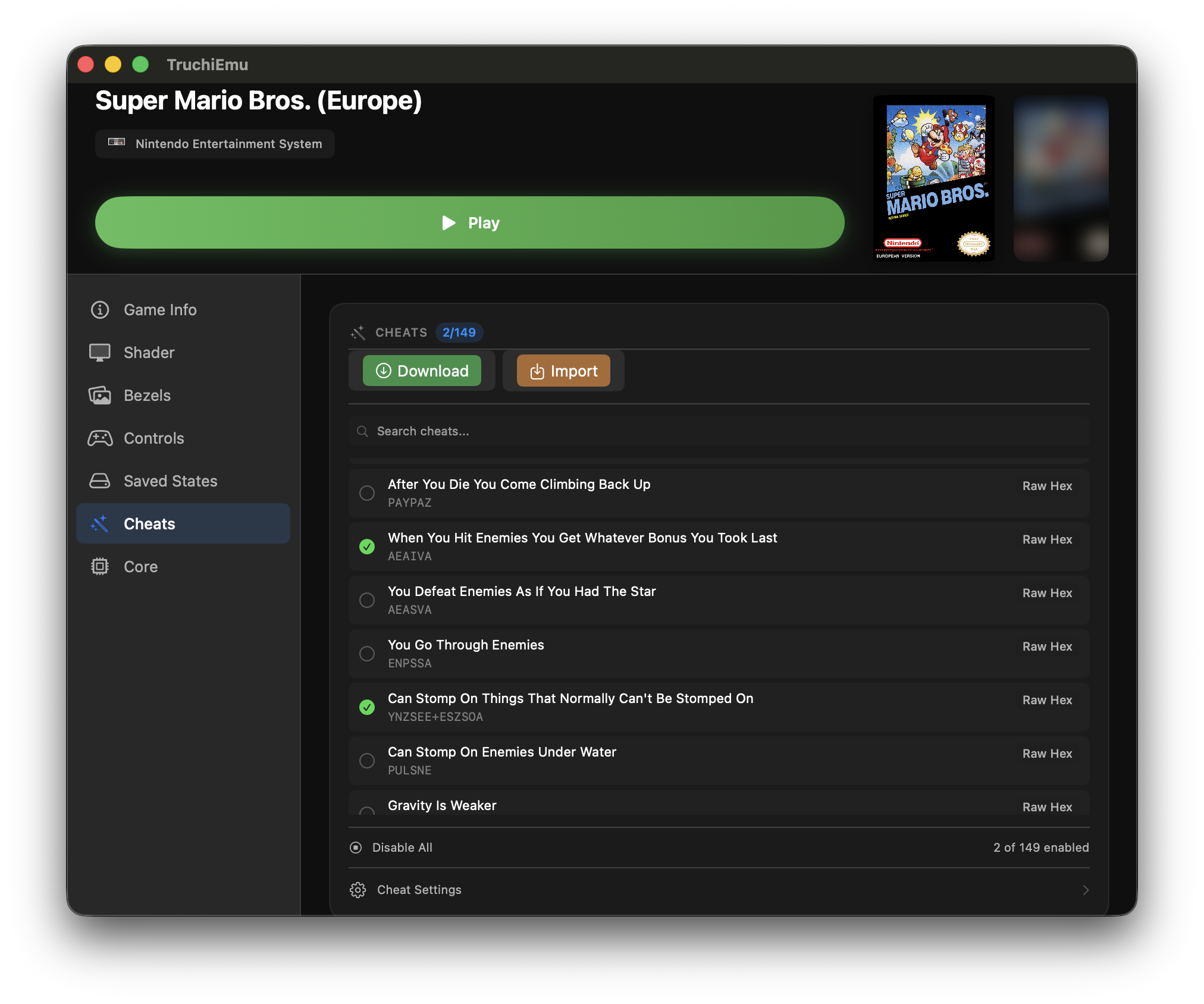
Tools → Cheatsor pressingCmd+Shift+C. The cheat management window displays available cheats for the current game.
-
Browse Cheat Database
Use the search bar to find specific cheats or browse by category. Popular categories include Infinite Lives, Infinite Health, Level Select, Power-Ups, and Unlockables.
-
Enable Cheats
Check the box next to any cheat to activate it immediately. Enabled cheats show a green indicator. Multiple cheats can be active simultaneously.
-
Test in Game
Return to your game and verify the cheat works as expected. Some cheats require specific conditions (e.g., must be at title screen, requires reset).
-
Save Cheat Configuration
Your cheat selections are automatically saved when you close the menu. Next time you load the game, previously enabled cheats will automatically reactivate.
Manual Cheat Entry
-
Add New Cheat
In the cheat menu, click "Add Cheat" and enter a descriptive name. Select the cheat format (Game Genie, Action Replay, etc.) from the dropdown.
-
Enter Cheat Code
Type or paste the cheat code into the code field. TruchiEmu validates codes in real-time and shows a green checkmark for valid formats.
-
Description and Notes
Add a description explaining what the cheat does and any special conditions. This helps organize large cheat collections.
-
Test and Refine
Enable the cheat and test in game. If it doesn't work, verify the code format and ensure it matches your game version and region.
Configuration Examples
Example 1: Game Genie Code Entry
// Game Genie Code Example for Super Mario Bros (NES)
cheat {
name = "Infinite Lives"
code = "SXOUGXAG" // Game Genie format
format = "game_genie"
system = "NES"
description = "Mario never runs out of lives"
enabled = true
auto_enable = true // Enable on game load
}
cheat {
name = "Invincibility"
code = "SLXPLOVS"
format = "game_genie"
system = "NES"
description = "Mario is invincible to enemies"
file_trigger = "SMB1" // Only for Super Mario Bros 1
}
Example 2: Action Replay Codes
// Action Replay code with conditional logic
cheat {
name = "Infinite Health"
code = "7E0F4A-FF" // Write 255 to address F4A
format = "par" // Pro Action Replay
conditions = [
"game_state == in_play"
]
description = "Always have max health during gameplay"
enabled = true
}
cheat {
name = "All Weapons"
code = "7E1234-FF,7E1235-FF,7E1236-FF"
format = "par"
multiple_addresses = true
description = "Unlock all weapons (3 bytes)"
}
Example 3: Memory Freeze Cheat
// Custom memory-based cheat from search
cheat {
name = "Freeze Timer"
// Memory address
address = "0x7E1234"
size = "16-bit" // 2 bytes
value = "0x09C4" // Freeze at 2500
operation = "freeze" // Keep at this value
description = "Timer stays at constant value"
}
Example 4: Conditional Cheat
// Complex cheat with multiple conditions
cheat_set {
name = "Smart Invincibility"
// Lives adjustment
cheat_1 {
address = "0x7E0155"
condition = "lives < 3"
action = "add 5 lives"
value = "+5"
}
// Health regeneration
cheat_2 {
address = "0x7E0156"
condition = "health < 50"
action = "regenerate"
rate = "+2/sec"
}
// Disable during cutscenes
global_conditions = [
"game_mode == gameplay",
"paused == false"
]
description = "Automatically helps when needed"
enabled = true
}
Example 4: Conditional Cheat
// Complex cheat with multiple conditions
cheat_set {
name = "Smart Invincibility"
// Lives adjustment
cheat_1 {
address = "0x7E0155"
condition = "lives < 3"
action = "add 5 lives"
value = "+5"
}
// Health regeneration
cheat_2 {
address = "0x7E0156"
condition = "health < 50"
action = "regenerate"
rate = "+2/sec"
}
// Disable during cutscenes
global_conditions = [
"game_mode == gameplay",
"paused == false"
]
description = "Automatically helps when needed"
enabled = true
}
Troubleshooting
Cheat Not Working
Symptom: Cheat enabled but has no effect in game.
Solution: Verify cheat matches your game version and region. Some cheats only work at title screen or require game reset. Check if cheats are disabled in RetroAchievements Hardcore mode.
Game Crashes with Cheats
Symptom: Game crashes when specific cheats are enabled.
Solution: Disable conflicting cheats. Some cheats modify critical memory addresses that cause instability. Try enabling cheats one at a time to identify the problematic code.
Cheat Database Not Loading
Symptom: Cheat database shows no cheats for supported games.
Solution: Update cheat database from Tools → Update Cheat Database. Check internet connection for database download. Verify ROM hash matches known good dumps in database.
Cheat Codes Lost After Update
Symptom: Custom cheat codes disappeared after TruchiEmu update.
Solution: Export custom cheats before updating. Check ~/Documents/TruchiEmu/Cheats/ for backup files. Re-import cheat collection from exported files.
Memory Address Changes
Symptom: Custom memory cheats stop working randomly.
Solution: Some games use dynamic memory allocation. Use pointer-based cheats if available. Search for new addresses or use relative addressing methods.
Cheat Name Duplicates
Symptom: Multiple cheats with same name causing confusion.
Solution: Rename custom cheats with descriptive names including version info. Organize cheats into categories or use the description field for details.
Performance Issues
Symptom: Game runs slower with many cheats enabled.
Solution: Disable unused cheats. Each active cheat requires CPU cycles. Consider consolidating multiple cheats into single combined cheat when possible.
Game Crashes with Cheats
Symptom: Game crashes when specific cheats are enabled.
Solution: Disable conflicting cheats. Some cheats modify critical memory addresses that cause instability. Try enabling cheats one at a time to identify the problematic code.
Memory Search Too Slow
Symptom: Memory search takes very long for large games.
Solution: Narrow search range by selecting specific memory banks. Use exact value searches instead of unknown. Disable unnecessary background processes to free CPU resources.
Cheat Database Not Loading
Symptom: Cheat database shows no cheats for supported games.
Solution: Update cheat database from Tools → Update Cheat Database. Check internet connection for database download. Verify ROM hash matches known good dumps in database.
Cheat Codes Lost After Update
Symptom: Custom cheat codes disappeared after TruchiEmu update.
Solution: Export custom cheats before updating. Check ~/Documents/TruchiEmu/Cheats/ for backup files. Re-import cheat collection from exported files.
Memory Address Changes
Symptom: Custom memory cheats stop working randomly.
Solution: Some games use dynamic memory allocation. Use pointer-based cheats if available. Search for new addresses or use relative addressing methods.
Cheat Name Duplicates
Symptom: Multiple cheats with same name causing confusion.
Solution: Rename custom cheats with descriptive names including version info. Organize cheats into categories or use the description field for details.
Performance Issues
Symptom: Game runs slower with many cheats enabled.
Solution: Disable unused cheats. Each active cheat requires CPU cycles. Consider consolidating multiple cheats into single combined cheat when possible.